Company
Oracle NetSuite
Time & Role
2025.08-2025.12 Lead UX Designer
From Code-First Deployment to Agentic Orchestration
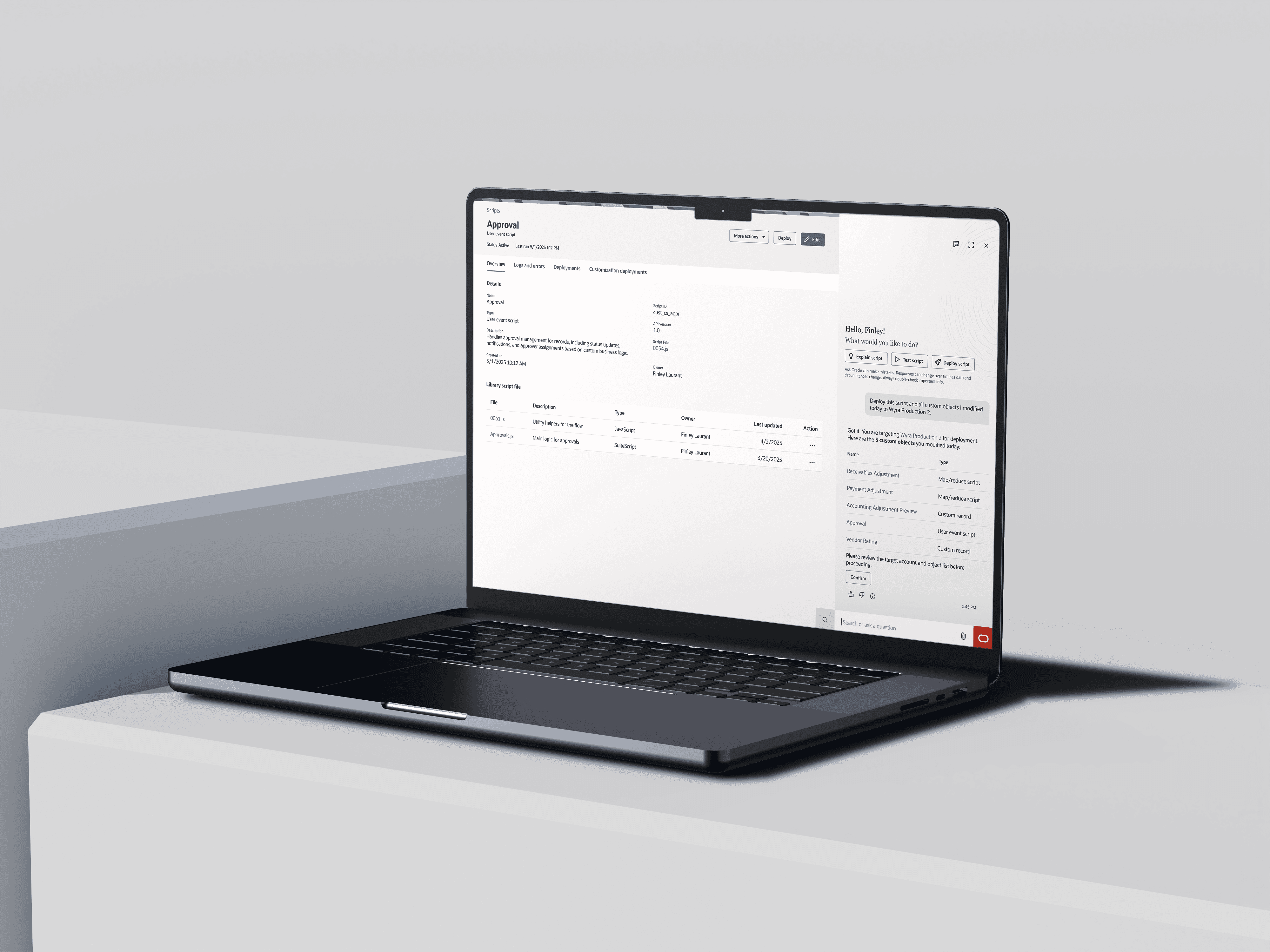
Domain
70%
Adoption rate increased from 25% to 70% of the deployment tool.
↓80%
Deployment-related support tickets decreased at the root cause level.
400K+
Legacy bundles prevented from further misuse as deployment workarounds.
New Agentic Workflow
Established an agentic workflow pattern for NetSuite’s enterprise operations.
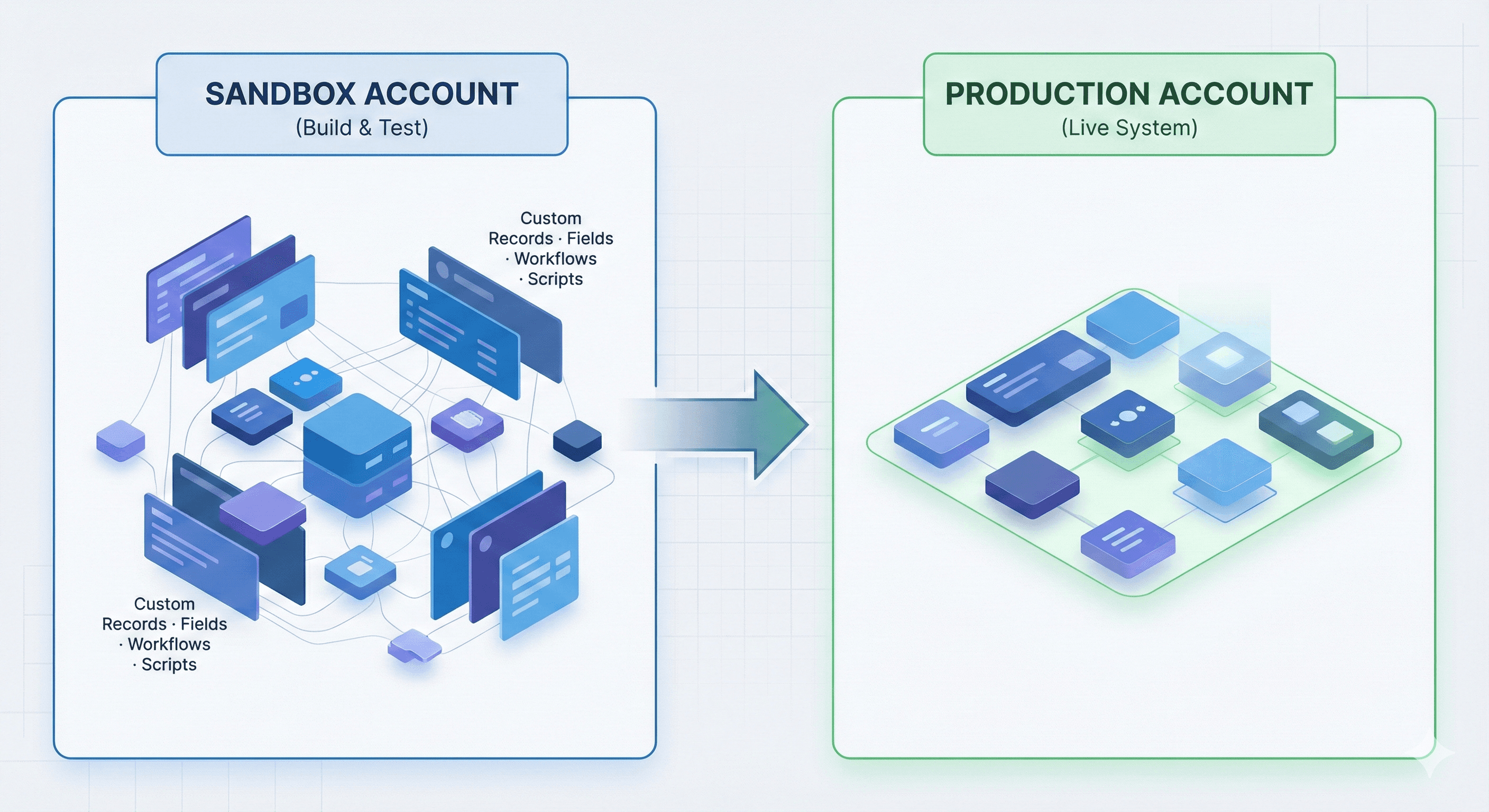
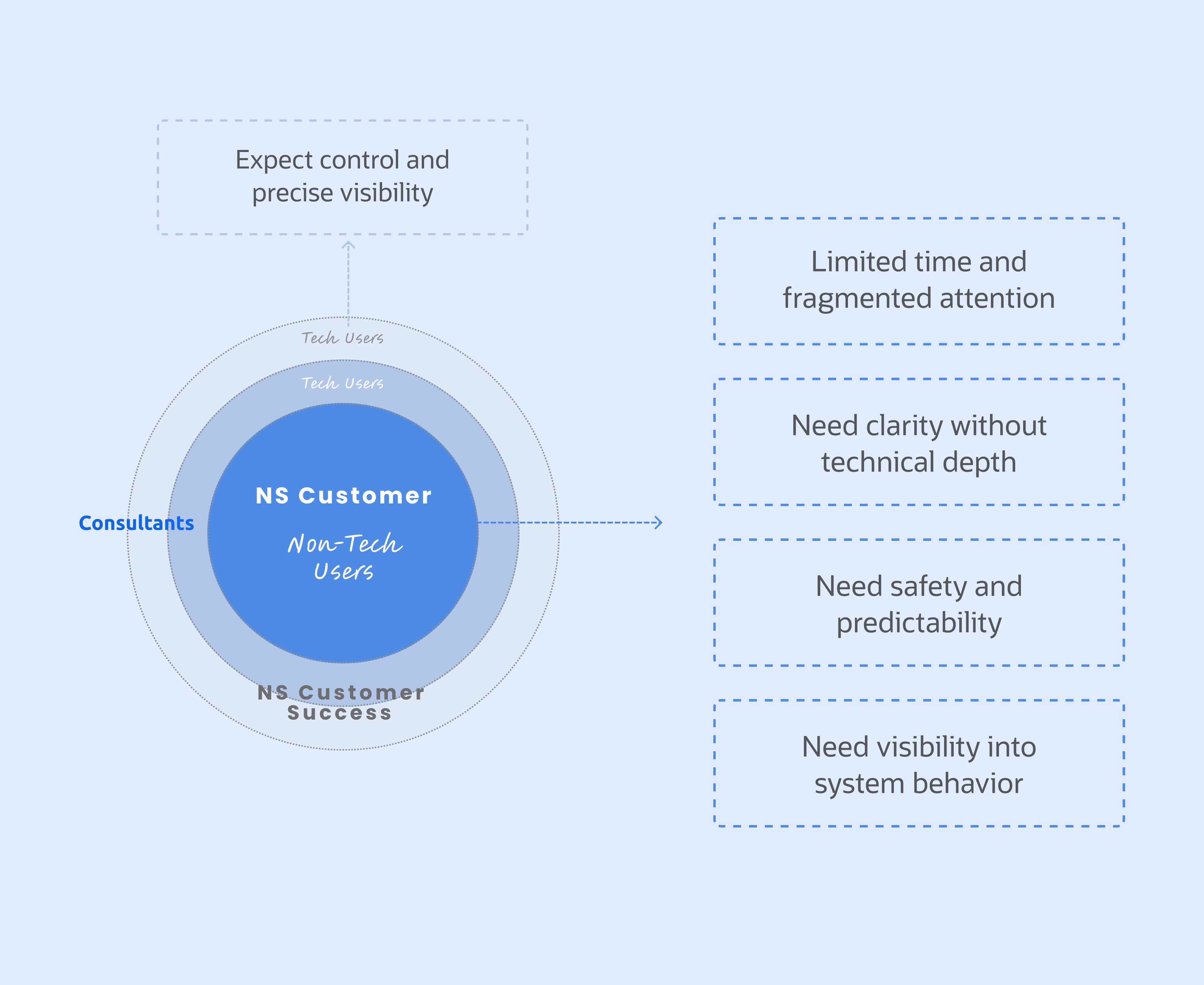
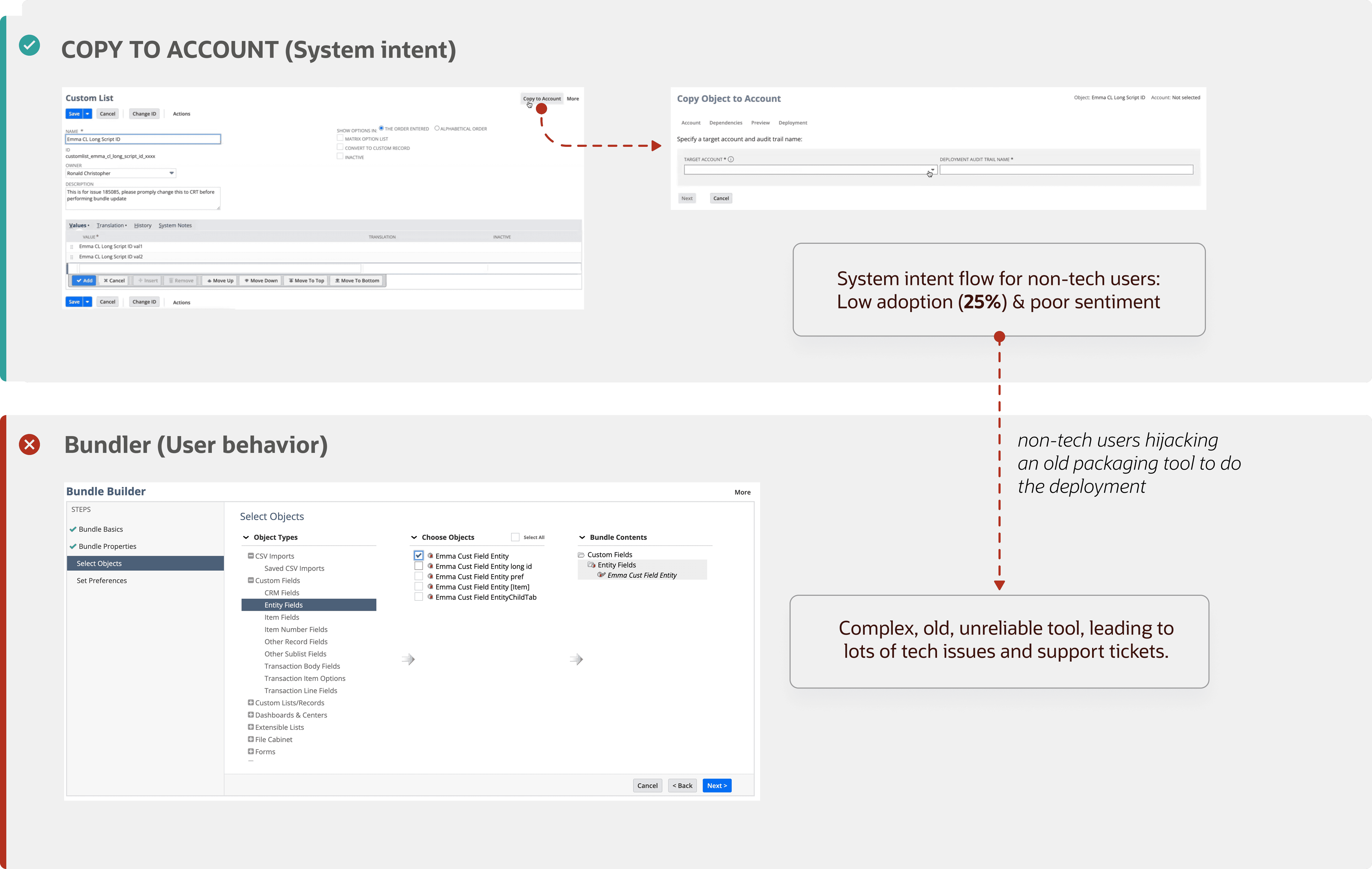
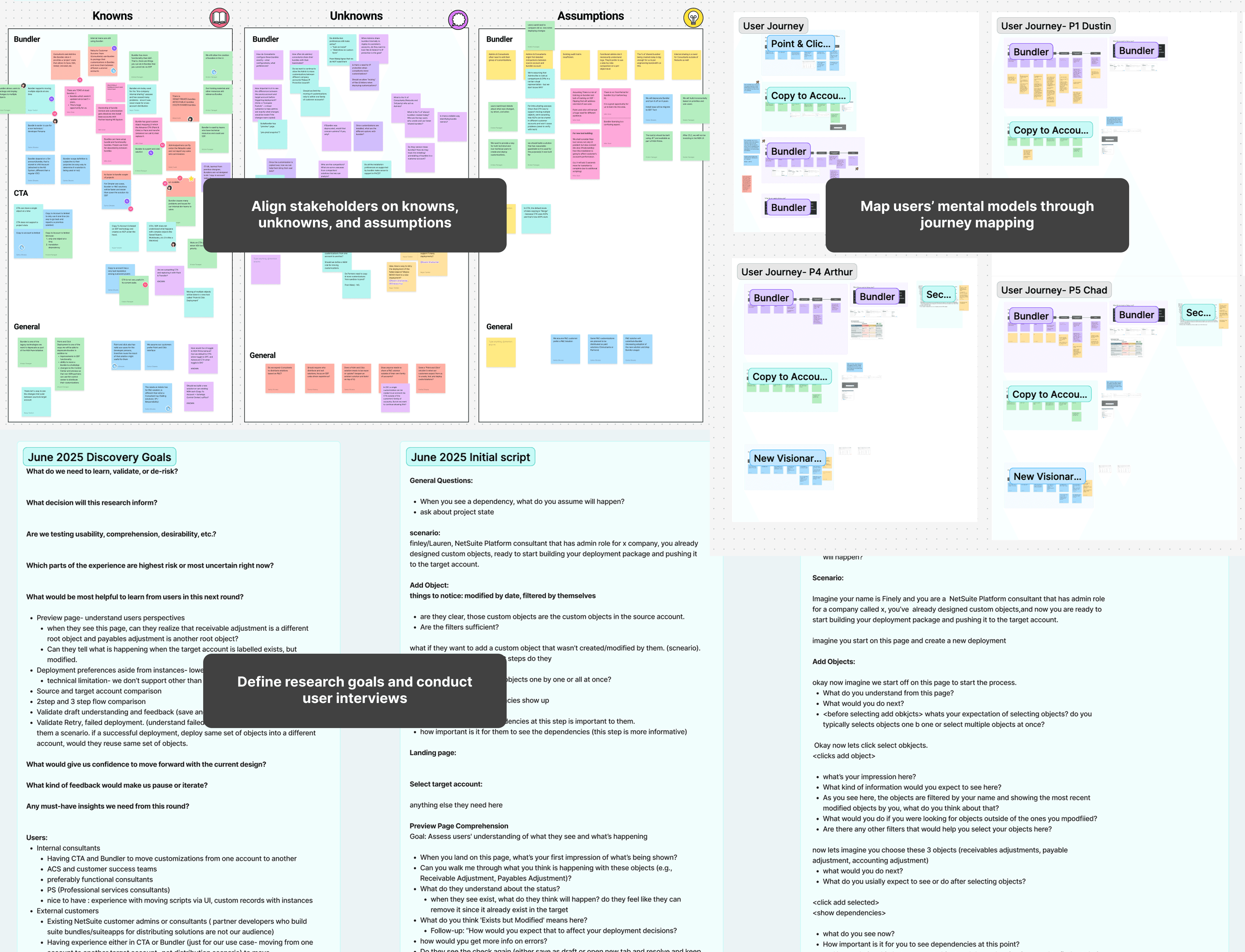
The initial design challenge (ambiguous)
HMWempowernon-technicaluserstomanagedeploymentsthroughanintuitivepoint-and-clickexperience?
The refined design challenge
HMWhelpnon-technicaladminsmanagedeploymentswithconfidencebymakingtheprocessvisible,predictable,andguided?
Make the system visible
Surface what the system is doing, why it matters —so complexity becomes understandable rather than opaque.
Reveal risk before commit
Help users anticipate uncertainty, consequences, and failure points before they commit—so they can act with greater confidence and control.
Guide users through complexity
Structure complex tasks into clear, manageable steps that reduce cognitive burden and help users move forward with clarity.
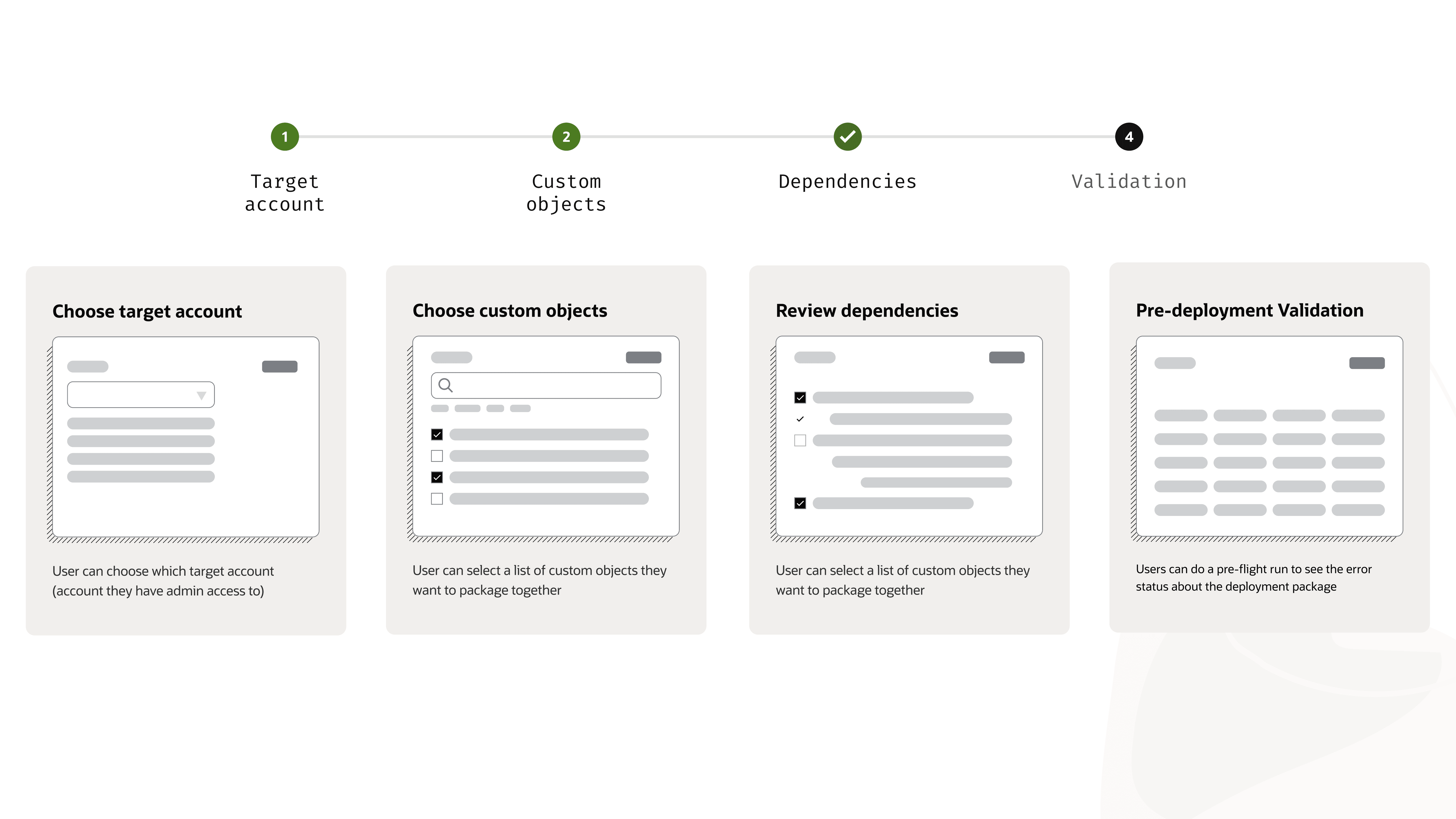
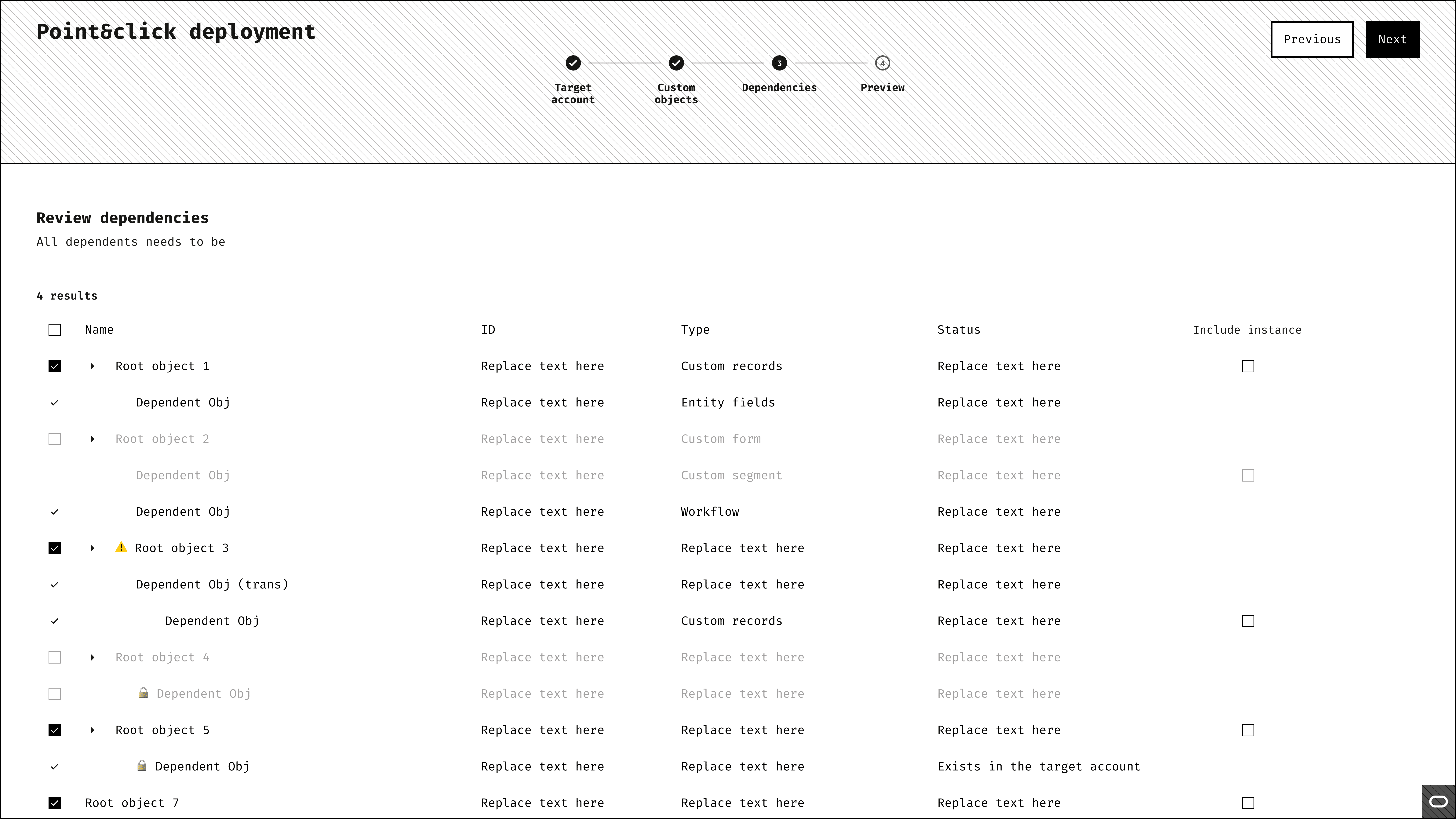
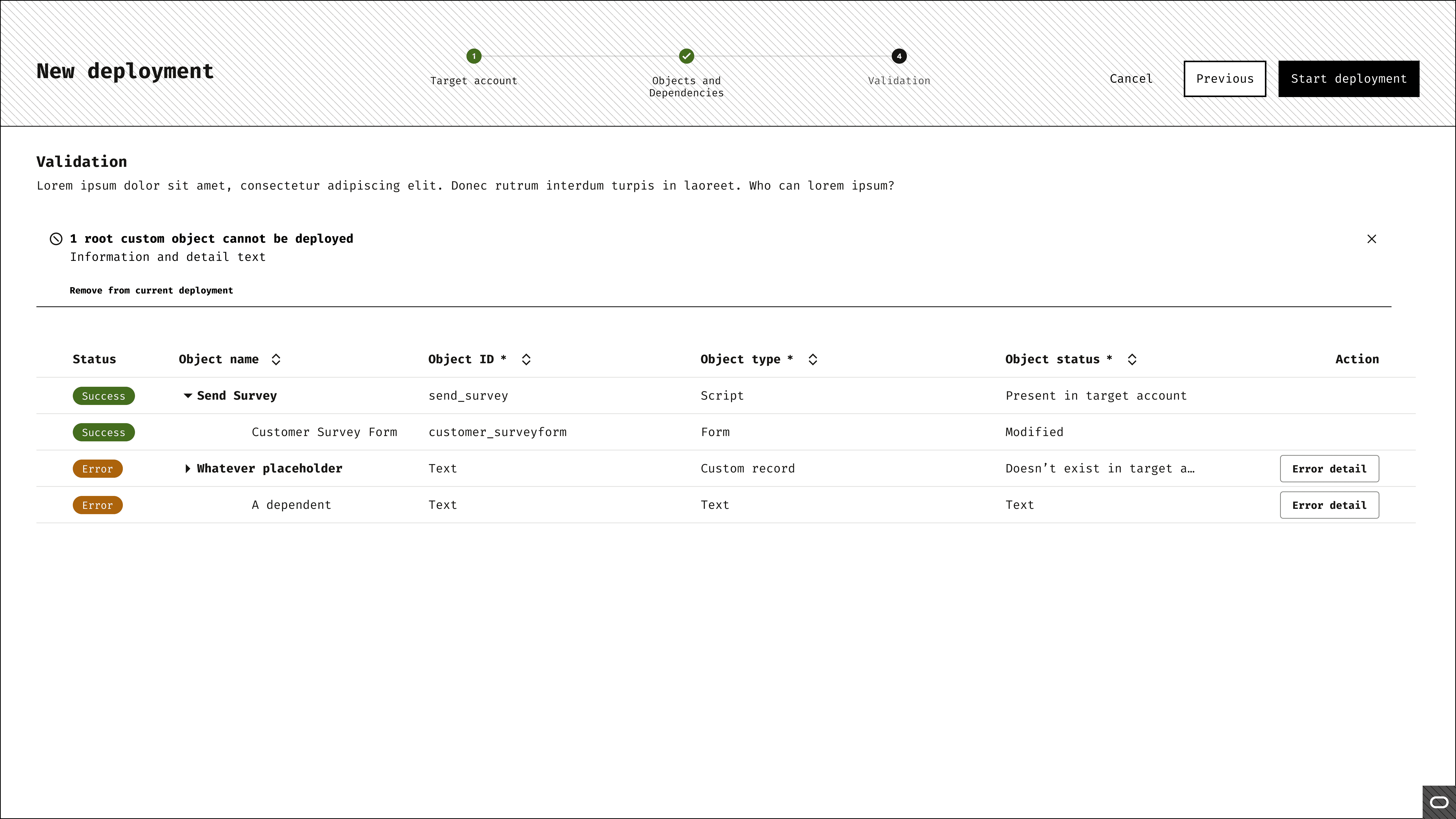
A staged experience helps users move through complexity with confidence
Catch blockers before deployment, not after failure
Visible scope and status help users understand what they are deploying
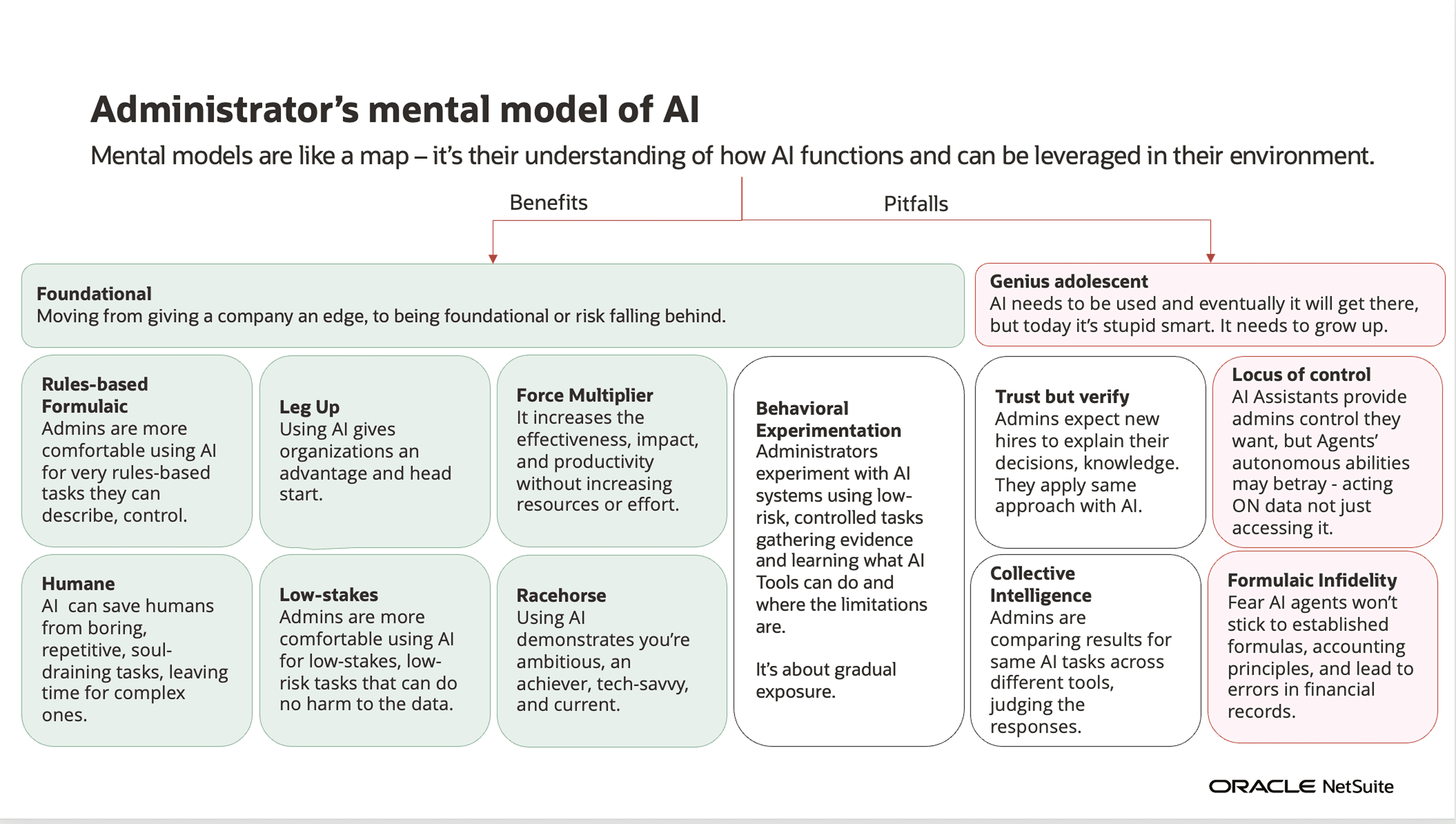
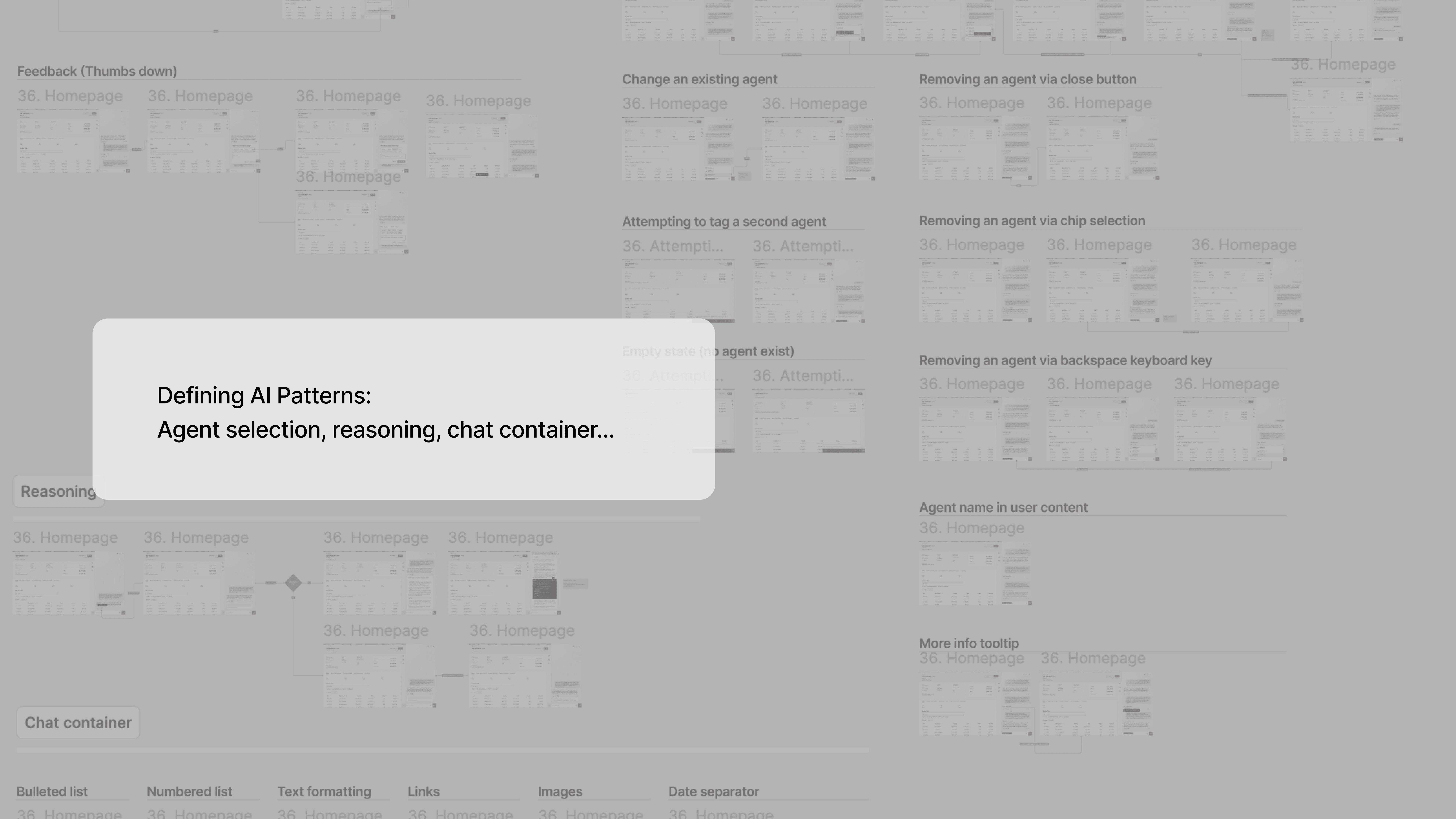
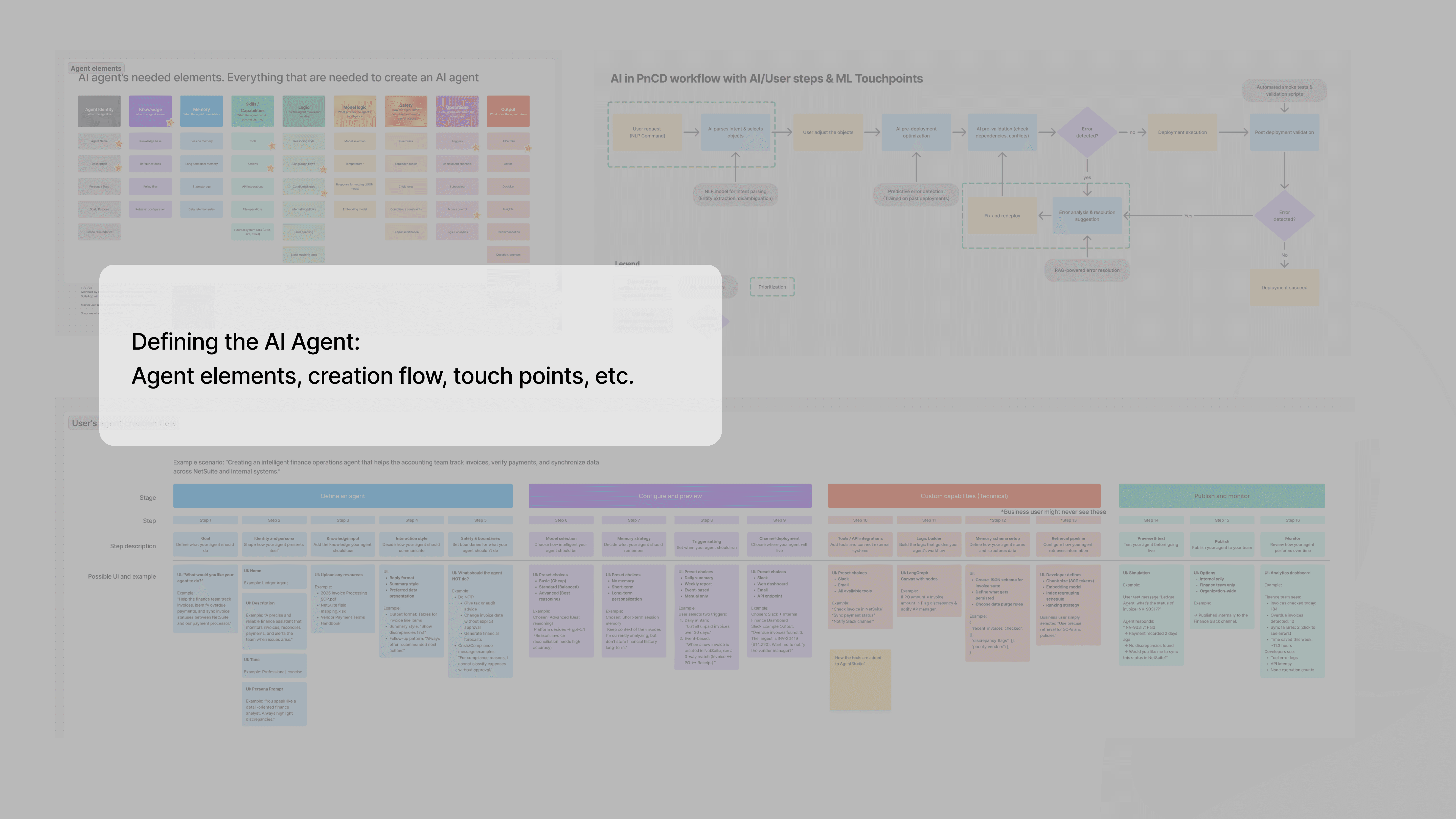
Defining AI-Assisted Interaction Model
Based on the workflow risks and what we learned from testing, I turned that into three interaction principles for this experience.
Interpretation, not just information
An agent should do more than surface raw system data—it should help users understand what matters, why it matters, and what deserves attention.
Trust through transparency
Agentic systems should make reasoning, system state, and potential consequences more visible, so users can build confidence instead of operating through a black box.
Human control at decision boundaries
The system can accelerate analysis and recommendation, but users should remain in control at high-impact moments—especially when committing, approving, or resolving risk.
Turn completed deployments into clear stakeholder updates
Resolve issues with guidance while keeping users in control
Moving Towards Agentic Workflow and Agent Orchestration
What began as an AI-first exploration gradually evolved into a broader vision for agentic workflow design. Deployment was a strong candidate because it is inherently multi-step, exception-prone, and risk-sensitive—making it a natural space for systems that can not only generate, but also reason, coordinate, and guide action over time.
My focus was not just on introducing AI into the flow, but on defining how users collaborate with it: what the system should surface, when it should act, how progress and issues become visible, and where human intervention remains essential.
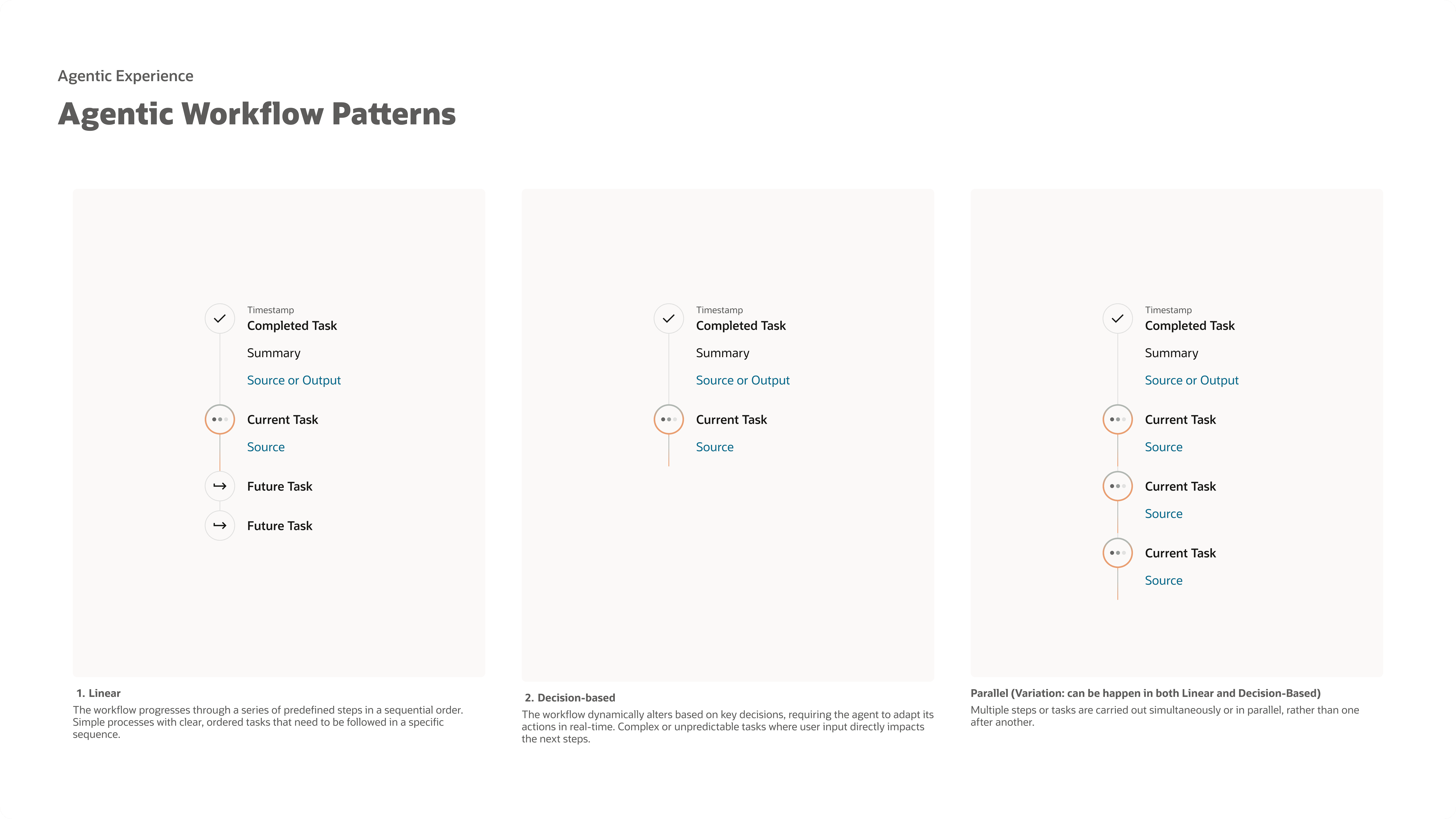
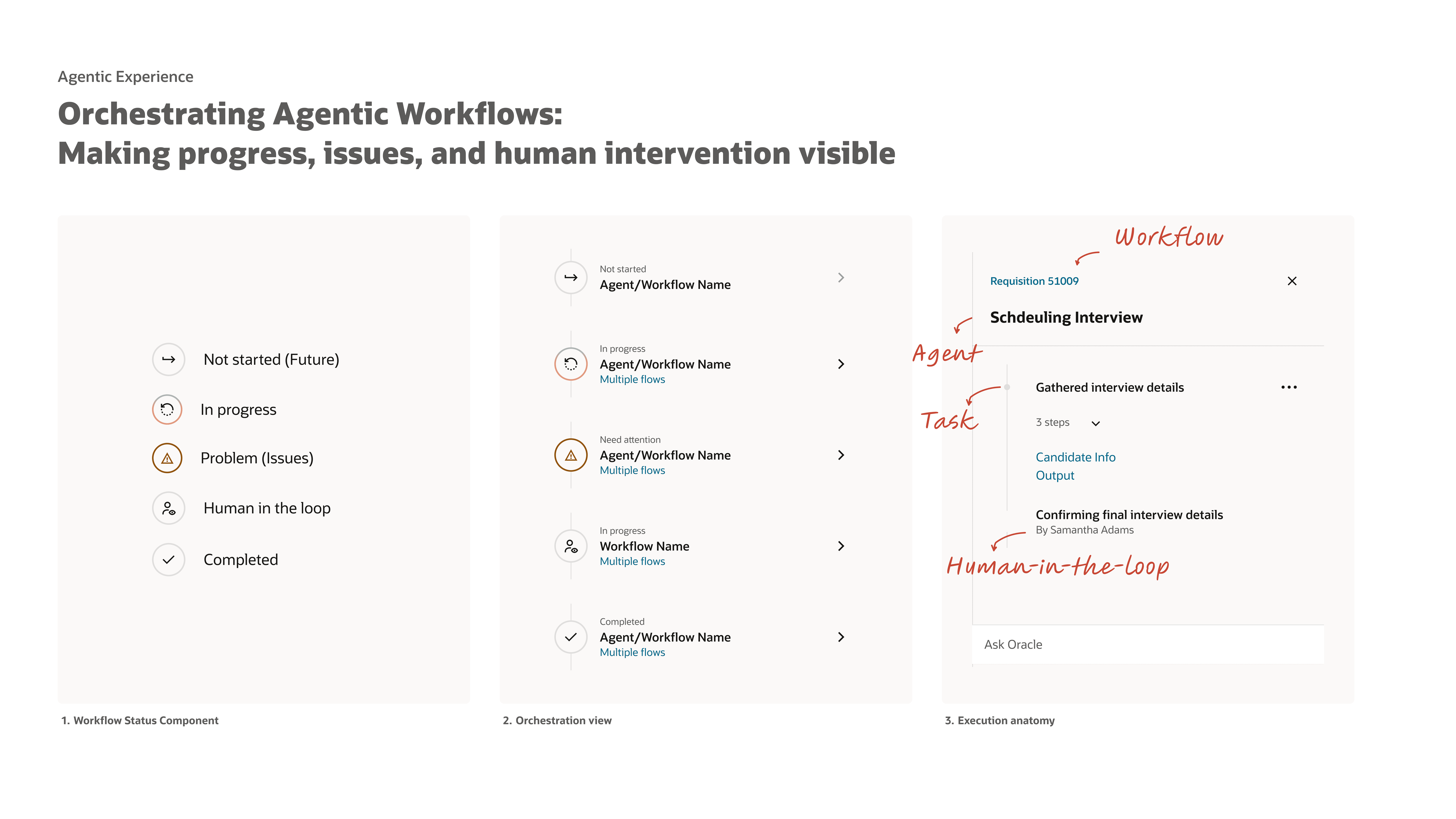
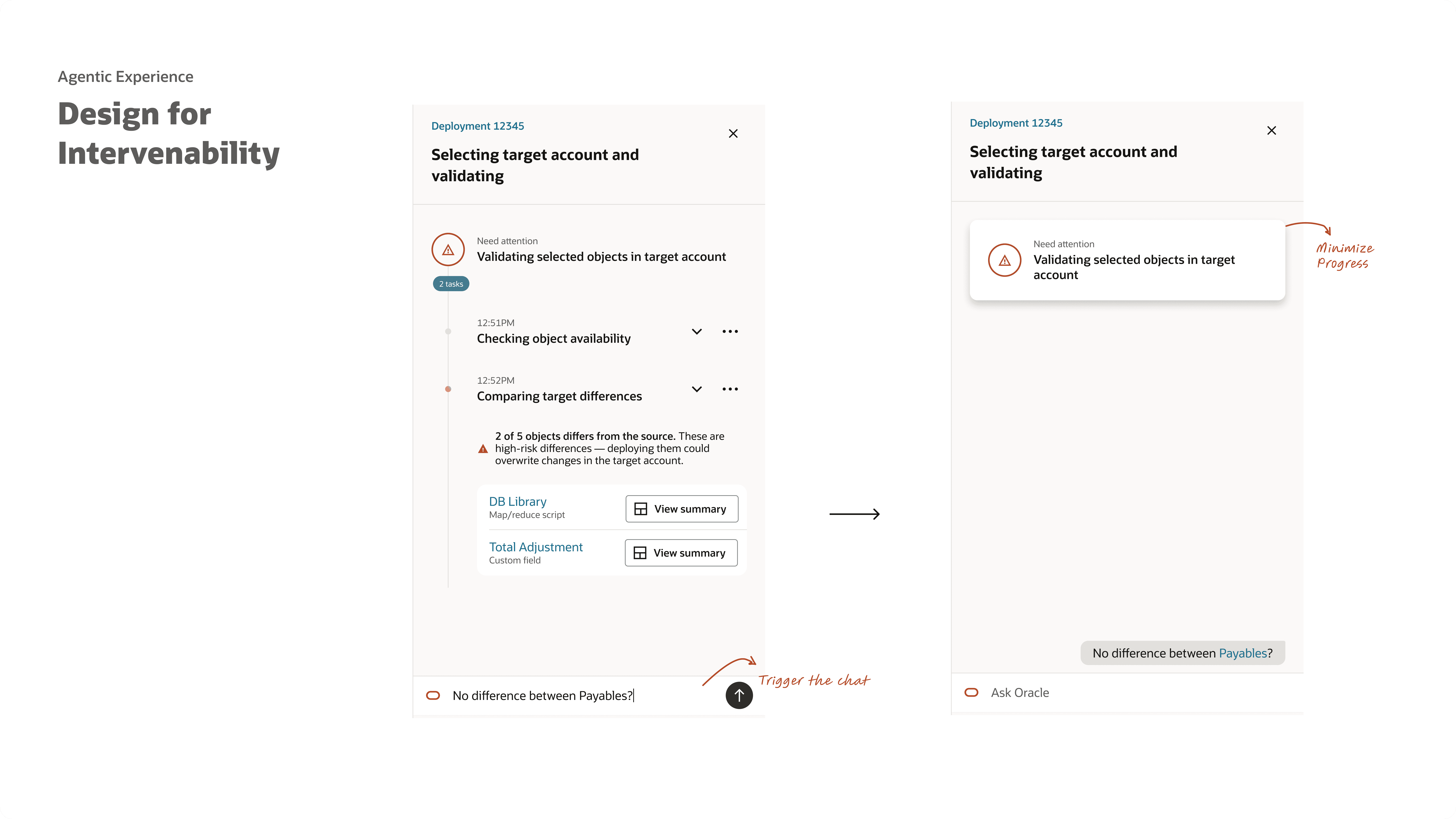
Additional agentic workflow patterns are confidential—feel free to reach out to learn more.
Proactive Extension: Reimagining the IDE Experience
Next project
